


Gambloria Login
Gambloria login gives secure access to the casino lobby and support sections. Registration and login stay connected to the main player area, so games and payments remain available after sign-in.



Gambloria Registration
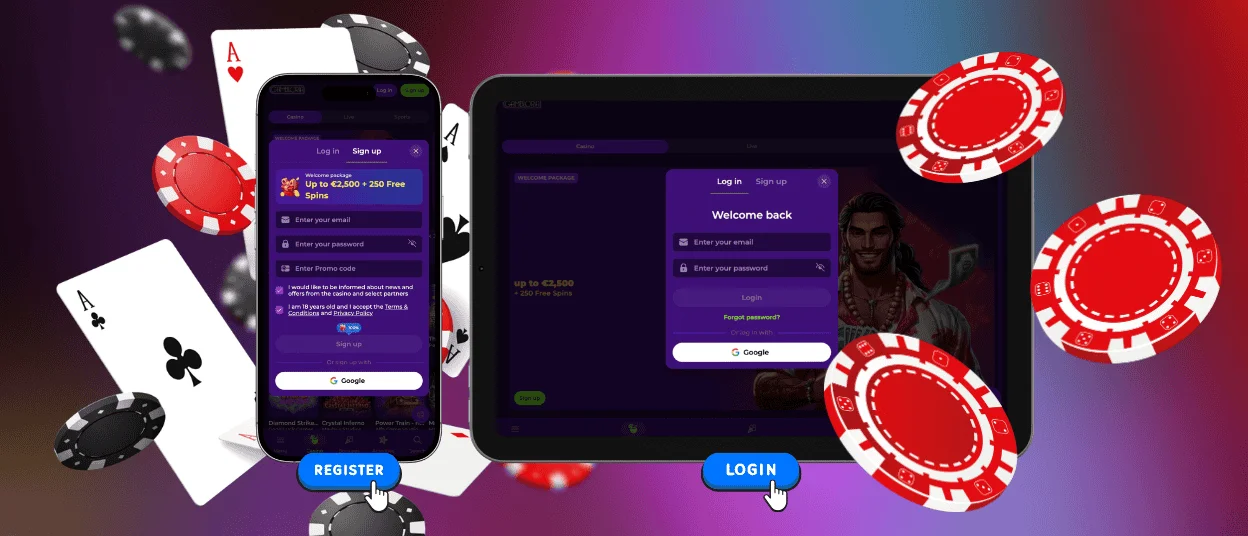
Gambloria casino entry starts from the “Sign up” button on the main page. After registration, the player area connects with the cashier and casino lobby. Active bonus offers also remain available through the same Gambloria login.
The account section includes the following features and access tools:
- Registration — create an account with email, country, and currency
- Login — access the casino lobby and cashier
- Password Recovery — restore account access through email
- Verification — confirm identity for withdrawals
- Support Access — contact live chat and customer support
- Responsible Gaming — manage limits and account suspension
Create Your Account
To create a Gambloria account, open the website header and select “Sign up”. The registration form connects your player details with the cashier, promotions, and future verification checks.
How Registration Works:
- Open the Gambloria homepage and select “Sign up”.
- Enter your email address, password, country, and currency.
- Confirm the casino terms and age requirement.
- Finish registration and open the casino lobby.
Please use real personal details during sign-up. Your name and documents should match the payment information used on the account. This helps the Support Team complete verification checks and process withdrawals faster.
Gambloria Login and Management
Login starts from the “Log in” button in the website header. Enter the email address and password linked to your registration, then open the casino lobby. After signing in, you enter the user area. From there, you manage deposits and open support when you need help with access or verification. The profile also keeps your casino activity connected with the bonuses available on the website, including the welcome package and weekly cashback.
After sign-in, you can continue from the same player area and open sections such as:
| Section | Available Content |
| Top Games | Coin Strike Hold and Win, Gates of Olympus, Sweet Bonanza |
| Live Games | Crazy Time, Lightning Roulette |
| Promotions | Cashback, free spins, VIP offers |
We keep user management focused on secure access. Use your own login details only and update personal or payment information when details change. Gambloria works with customers over 18 years of age and supports responsible gaming controls through the account and website sections.
Password Recovery
If you cannot sign in, open the “Log in” window and use the password recovery link. Enter the email address from your Gambloria profile, then open the message we send to that inbox. Set a new password and use it the next time you complete Gambloria login.
Use a password that belongs only to your Gambloria casino registration.
Verification and Checks
The platform checks user information to confirm that it belongs to the registered customer. We use this procedure during withdrawal reviews and some registration changes connected with payments or profile data. The Gambloria casino website also includes separate sections, where verification rules form part of the casino terms.
Please use real personal information when you create and manage your registration. Your profile details and verification documents should contain the same name and personal data. When the information matches, the Support Team processes account checks faster and avoids additional requests connected with the verification process.
FAQ
Can I change my password or email address?
You can change your password through the sign-in tools connected with Gambloria login. If you need to update the email address linked to your profile, contact the Support Team through live chat.
What should I do if my account is locked?
Contact the Support Team if your sign-in becomes restricted. We review the user status and ask for the details needed to confirm ownership. Do not create a second Gambloria account while the first one remains under review, because one customer profile keeps casino activity, payment records, bonuses, and verification history in the correct place.
How do I close or temporarily suspend my account?
You can ask the Support Team to close or suspend your Gambloria casino registration. We process these requests through the user support channel and ask for confirmation before making changes to the profile. Responsible Gaming information is available on the website, and account limits or access changes stay connected with your registered details.


